
Hajj quota: your allocated seats
Hajj quota tracking is part of the Standard and Pro plans. On the Free plan, this page shows an upgrade note instead.
What is this?
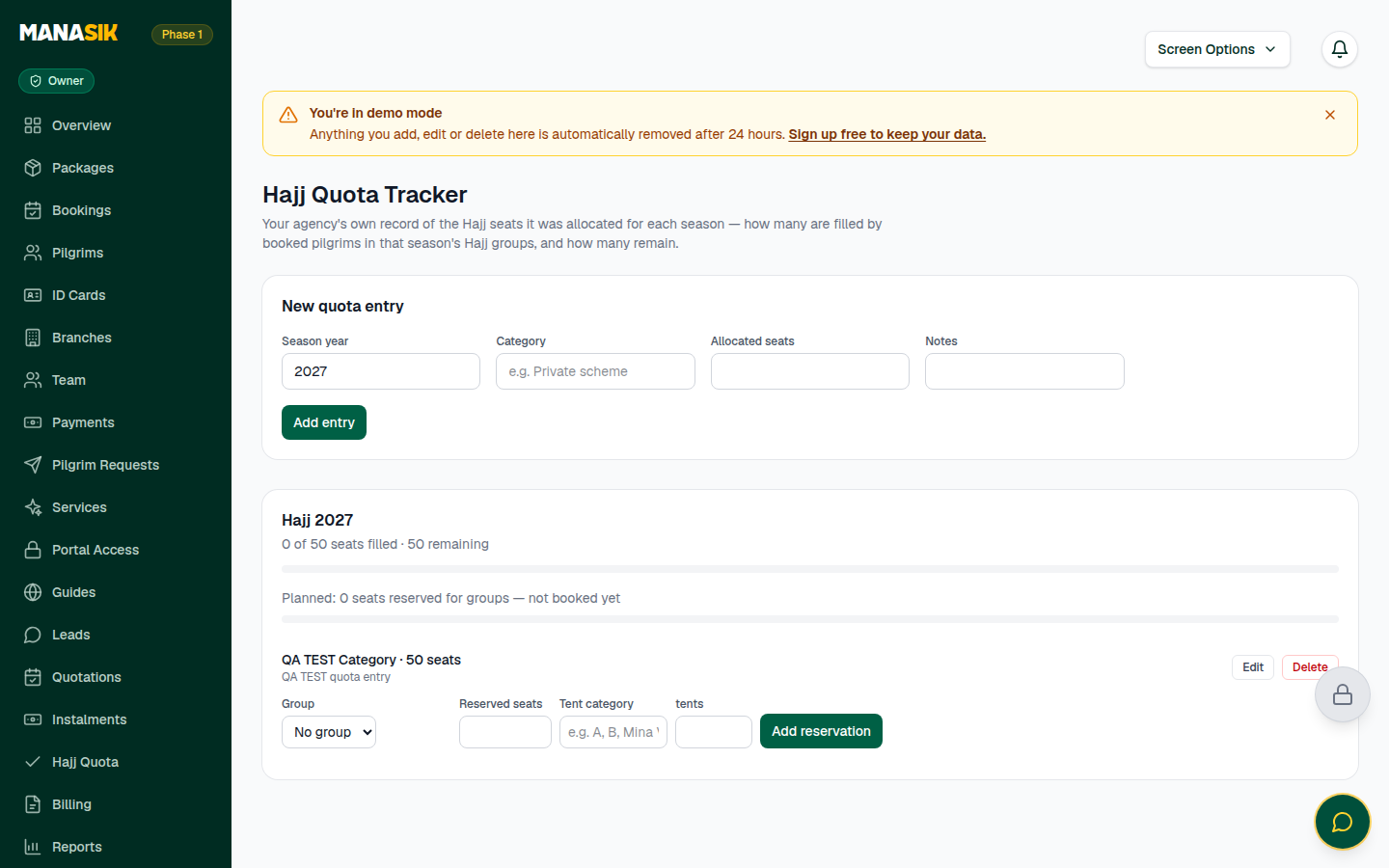
If your agency is allocated Hajj seats for a season, this page is your own record of them. You write how many seats you were given for a season and a category — for example “Private scheme” — and Manasik counts how many of those seats are filled by pilgrims booked into that season's Hajj groups, and how many remain. Quota is for Hajj only; Umrah, Ziyarat and other tours never use it.
When do you use it?
Add the season's entry as soon as your allocation is confirmed. Watch the page during the booking season — it warns you if more pilgrims get booked than the seats you hold.
Step by step
- 1
Open Quota (Hajj Quota) in the menu.
- 2
In the New quota entry form, write the season year and the category, for example “Private scheme”.
- 3
Write the allocated seats — the number your agency was given — add any note, and choose Add entry.
- 4
Your season card now shows how many seats are filled, the total seats, and how many remain.
- 5
The count fills itself: every pilgrim booked into that season's Hajj groups counts against the quota, and seats a group has reserved count as planned.
- 6
If bookings pass your allocation, the card warns you that the season is over-filled. Add seats only if your allocation really grew — otherwise review that season's Hajj groups.
- 7
Make one entry per season and category. If you hold seats in two categories, make two entries — they are counted separately.
Tips & common mistakes
Only owners, admins and branch managers can add or change quota entries. Other staff can view them.
Quota counts the season's Hajj groups. A pilgrim booked on a Hajj package but not yet placed into a Hajj group may not count yet — place members into their groups early (see the Groups chapter).
Keep the category name exactly as your allocating body writes it — seasons and reports stay easy to match later.
Common questions
No. Quota is a Hajj-only record. Other tour types are controlled by each group's capacity, not by quota.