
Bookings: a traveler's seat on a package
Bookings work on every plan. The instalment plan on a booking (step 6) is part of the Standard and Pro plans.
What is this?
A booking is the agreement between your agency and one traveler: this person, on this package, for this total amount. The booking is where money is followed — how much was paid and how much balance is left — and where the family members travelling with the main traveler are linked, so one payment covers them all.
When do you use it?
Create a booking the moment a traveler confirms — even before the first payment, to hold the seat. Open the booking again whenever money arrives, family members join, or the traveler changes to another package.
Step by step
- 1
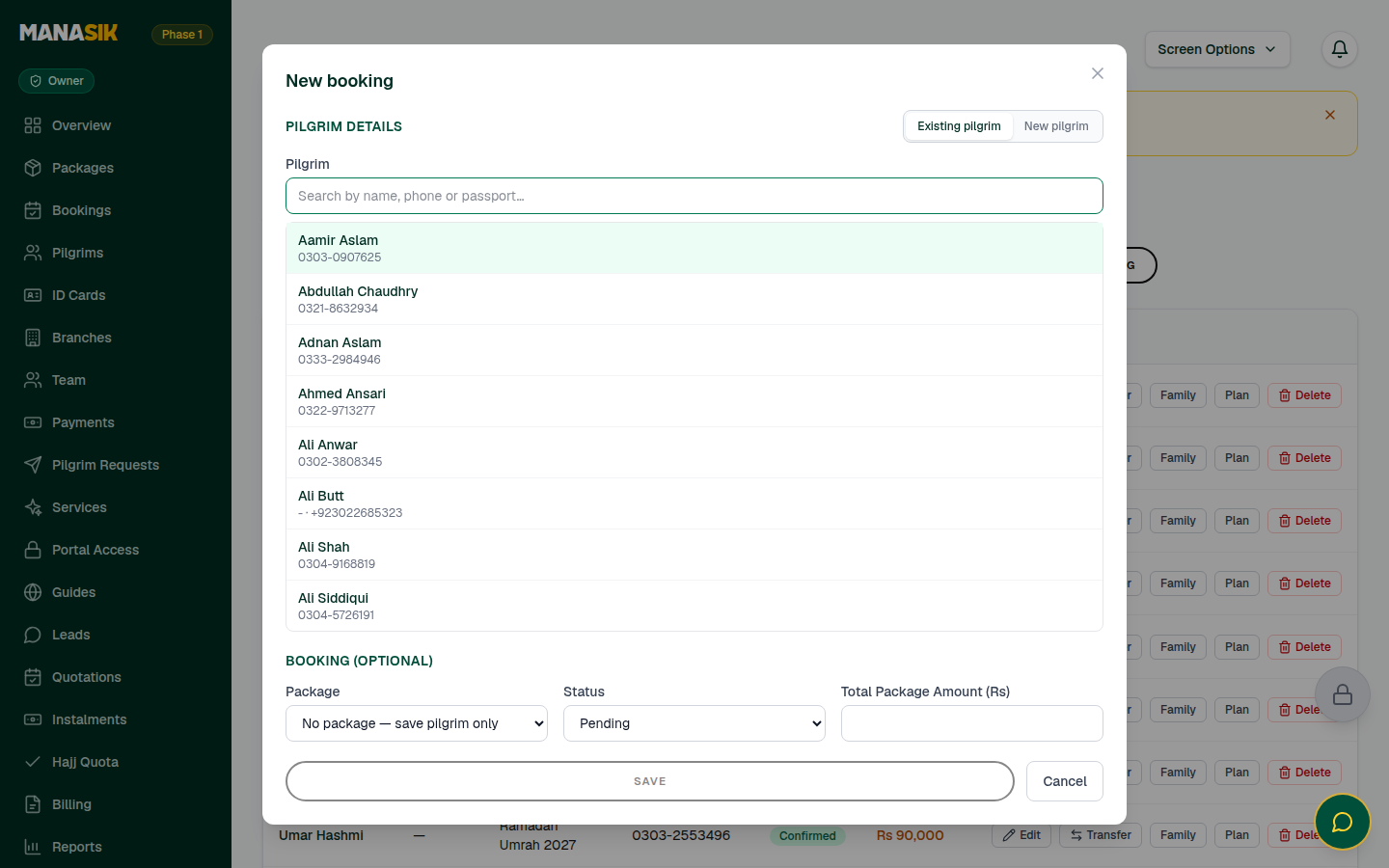
Open Bookings in the menu and choose New booking.
- 2
Choose the pilgrim. New customer? The booking form can create the pilgrim at the same time — fill in Pilgrim Details and the record is saved together with the booking.
- 3
Choose the package. The booking total is copied from the package price — change it only if this traveler agreed a different price with you.
- 4
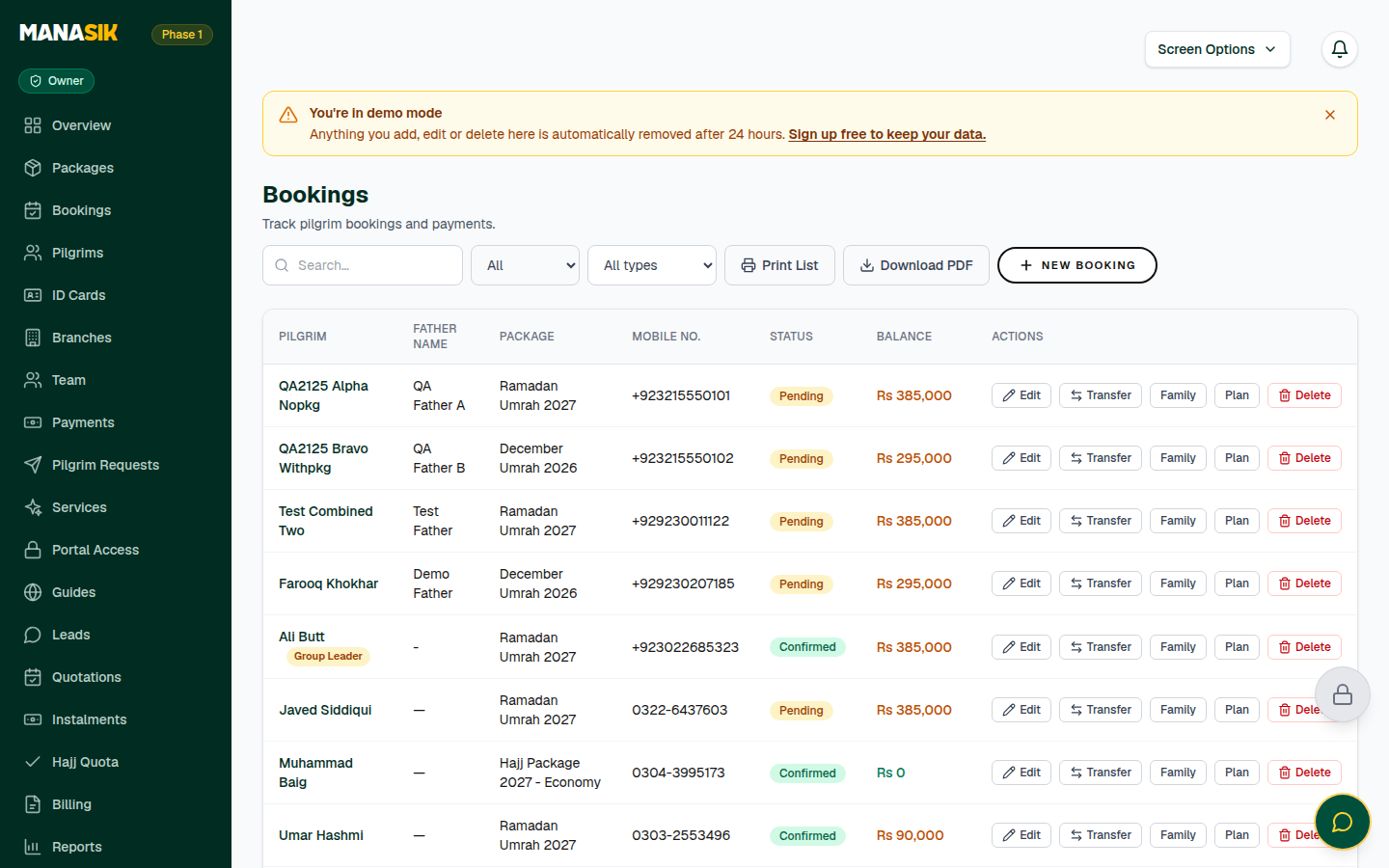
Save the booking. It appears in the Bookings list with Paid and Balance columns.
- 5
Family joining? Open the booking and use Family members on this booking to link the spouse, children or parents travelling with the main pilgrim. Payment stays on the booking as a whole, and each linked pilgrim can see the booking in their traveler portal.
- 6
Agreeing to pay in parts? On the booking, open Instalments (the Plan button) and add the agreed schedule — amounts and due dates. The Instalments page then follows them all for you.
- 7
Documents: passports and other papers live in Documents & Visa (a Pro feature), where each traveler's documents are reviewed — approved, pending, or rejected with a reason. The traveler record is always one click away from the booking.
- 8
Traveler changing tour? Use the booking's Transfer option: Copy to package keeps the old booking and adds a new one on the target package; Move to package moves it. Payments stay exactly as they are.
Tips & common mistakes
Amount Paid on a booking is read-only — it is added up from the payments you record. To change it, record or correct a payment, never the booking itself.
Search the Bookings list before creating a new one. Most duplicates come from booking the same person twice.
Use Print List or Download PDF on the Bookings page for a paper backup before a departure.
Common questions
Yes. Book the main pilgrim, then link the other family members on the same booking. One payment covers them all, and each linked pilgrim sees the booking in their portal.