
Travelers: one record for every person
What is this?
Every person who travels with your agency has one record here. Depending on the tour, Manasik calls them pilgrims (Hajj and Umrah), zayireen (Ziyarat) or travelers (Al Quds and custom tours) — it is the same record. It holds the full name, father's or husband's name, date of birth, gender, mobile and WhatsApp numbers, CNIC, passport number and its expiry date, the home address, and an emergency contact.
When do you use it?
Add the record the first time a person books, or as soon as an enquiry becomes serious. After that, every booking, payment, group and ID card uses this one record — you never type the same passport twice.
Step by step
- 1
Open Pilgrims in the menu and choose Add pilgrim.
- 2
Fastest way: choose Scan passport and take a photo of the passport's data page. Fill the frame with the page and keep both MRZ lines at the bottom fully visible — no glare, and no finger over the lines. The photo is read on this device only; it is never uploaded.
- 3
Check every filled detail against the passport before saving — the name spelling must match the passport exactly.
- 4
No scan? Type the details instead: full name, father/husband name, date of birth, gender, mobile and WhatsApp numbers, email, CNIC, passport number and passport expiry.
- 5
Add the address: country, province, district or city and the street address — and an emergency contact: the name and phone of a family member.
- 6
If this person leads a group, set Designation to Group Leader; otherwise leave it as Pilgrim.
- 7
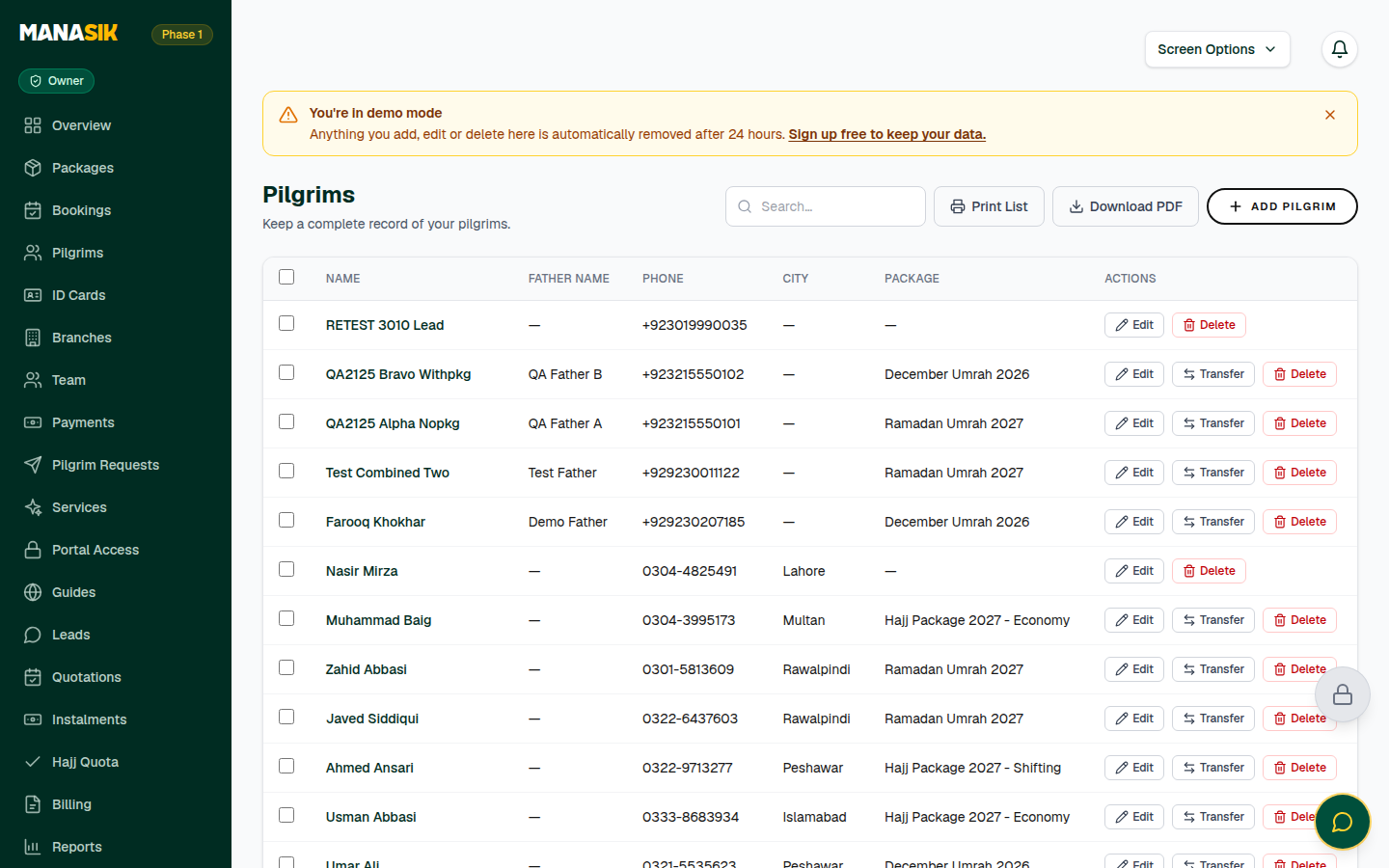
Save. The traveler now appears in the list — name, city, CNIC, package and passport columns — and can be found by searching a name, phone or passport number.
Tips & common mistakes
Passport expiry matters: Documents & Visa shows warnings when a passport is missing, already expired, or expires within six months. Fix warnings the week you see them, not the week of departure.
You can select several records in the list for bulk updates, and use Print List or Download PDF for a paper manifest.
Need your records in a spreadsheet? Settings → Export data downloads Pilgrims, Bookings and Payments as CSV files that open in Excel — see the Settings chapter.
Common questions
Yes. Save the record without the passport details and add them later with Edit. Until the number and expiry are filled in, the record will appear in the passport warnings.