
Getting started: your account and the dashboard
What is this?
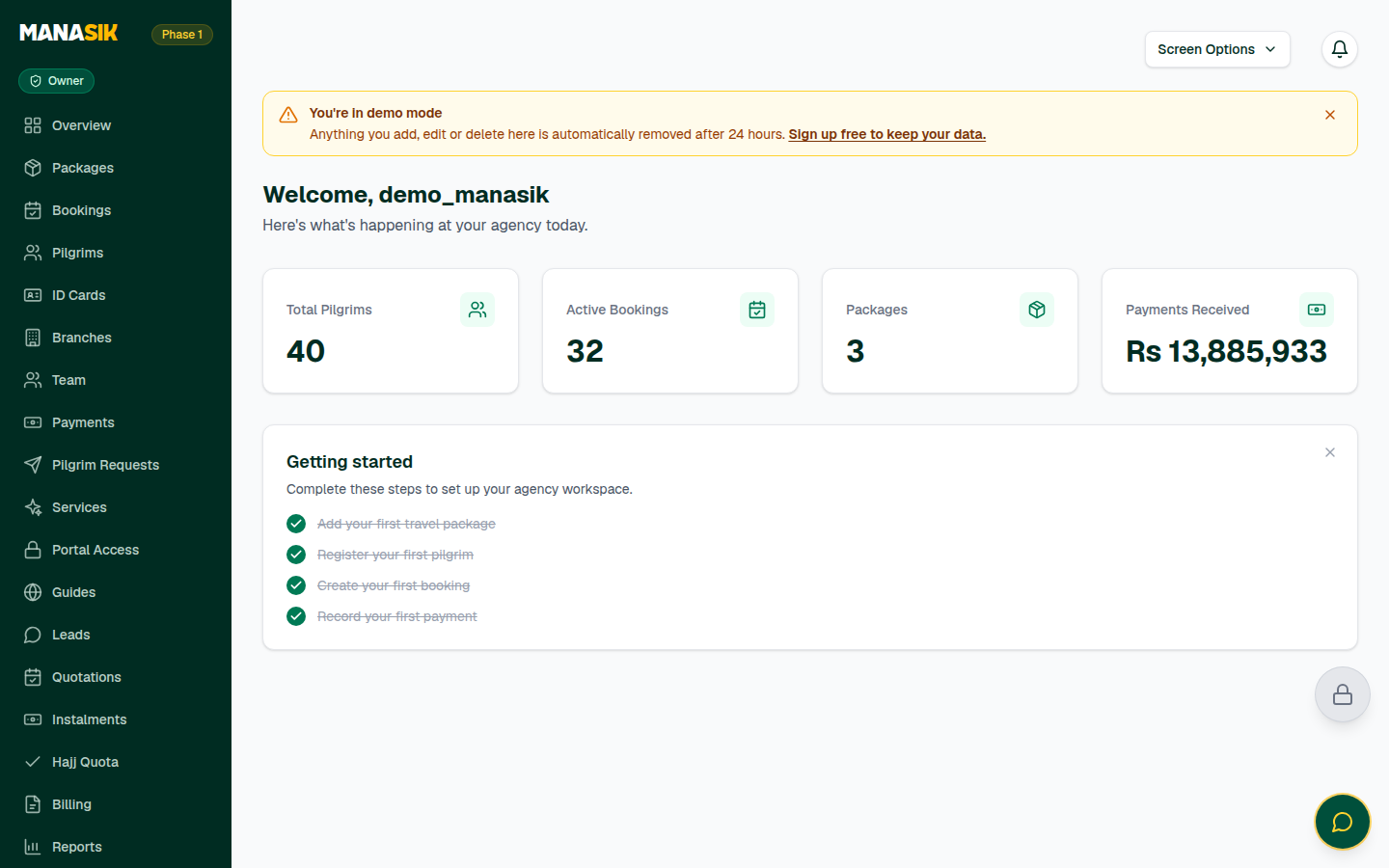
Manasik is the website where your agency keeps everything in one place: your tour packages, your travelers, their bookings and their payments. You do not install anything. You open Manasik in a browser — on a computer, tablet or phone — sign in, and work. The dashboard is your home screen: it shows what is happening at your agency today.
When do you use it?
Read this chapter first, before everything else. Come back to it whenever a new staff member joins your agency and needs to learn the basics.
Step by step
- 1
Go to getmanasik.com and choose Sign up (Create account).
- 2
Write your full name, your agency name, your email and a password (at least 6 characters). You can also continue with Google instead.
- 3
If Manasik emails you a confirmation link, open it once to confirm your email address.
- 4
Sign in with your email and password. If Manasik asks you to name your agency, write the name and choose Create workspace.
- 5
You land on the dashboard. At the top you see four numbers: Active Bookings, Packages, Payments Received and Total Pilgrims (your travelers).
- 6
Look at the side menu: Packages, Pilgrims, Bookings, Payments, Groups, Leads and more. Every chapter of this guide explains one of these menu items.
- 7
Follow the Getting started checklist on the dashboard: add your first travel package, register your first pilgrim, create your first booking, record your first payment. The next chapters explain each one.
- 8
When you finish working, use Sign out in the menu — especially on a computer that other people also use.
Tips & common mistakes
Use an email address your agency will keep for years. Confirmations and password resets go to this email.
Never share your password with the whole office. Give every staff member their own login instead — see the Team & sub-agents chapter.
Keep this guide open in a second browser tab while you work through the checklist for the first time.
The dashboard also works on a phone — the side menu collapses into a button at the top of the screen.
Common questions
No. Manasik runs in your browser. If you can open a website, you can use Manasik — on a Windows or Mac computer, an Android phone or an iPhone.