
Packages: the tours you sell
What is this?
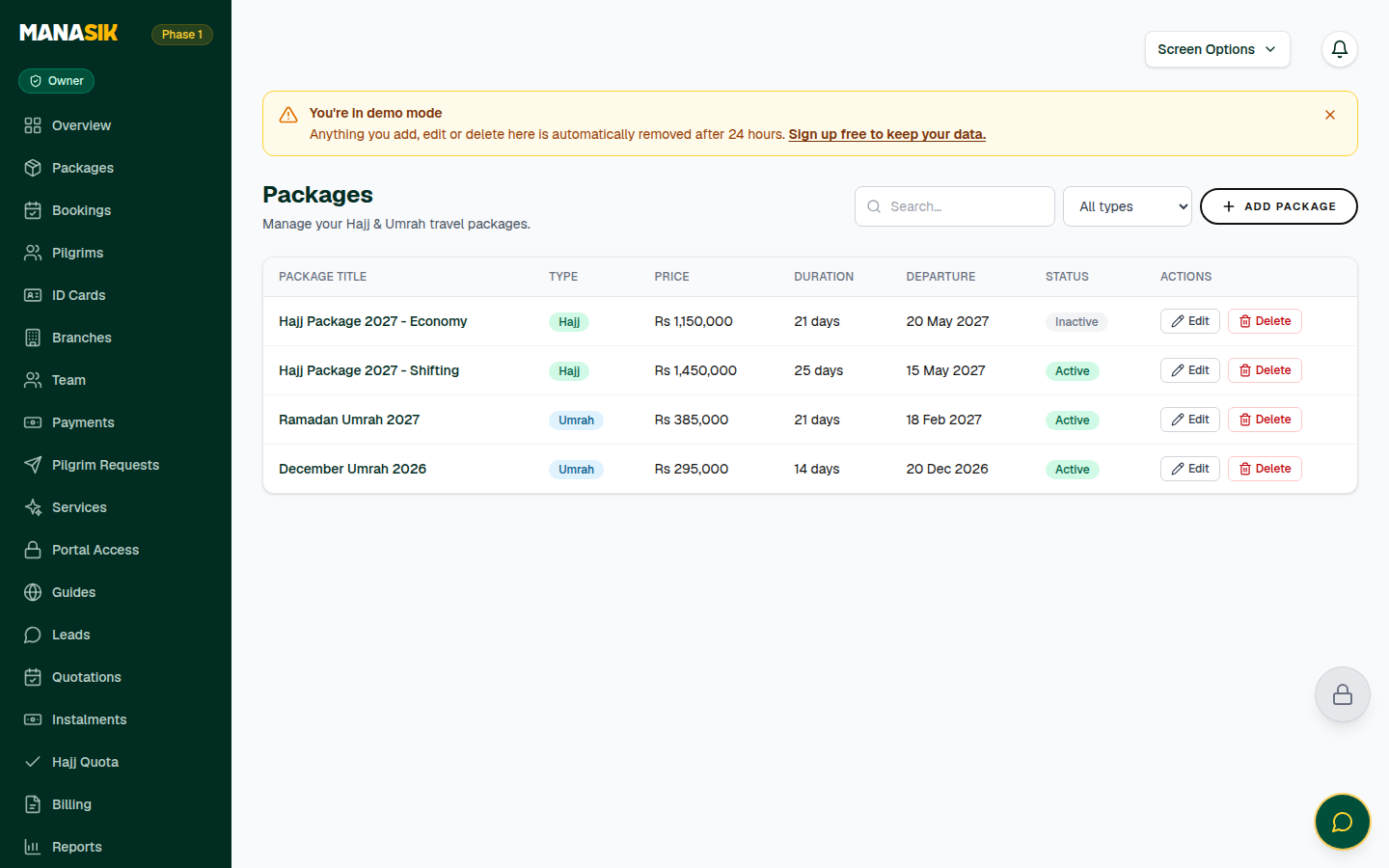
A package is one tour your agency sells — for example “Ramadan Umrah 2027” or a Karbala Ziyarat group tour. Every booking is made on a package, so packages come first. A package holds the tour type, the price, how many days the tour lasts, the departure date, and what is included: hotels, transport, meals and more.
When do you use it?
Use this chapter when you launch a new tour, when prices change for a new season, or when you want to stop selling an old tour — make it inactive instead of deleting it, so old bookings stay safe.
Step by step
- 1
Open Packages in the menu and choose Add package.
- 2
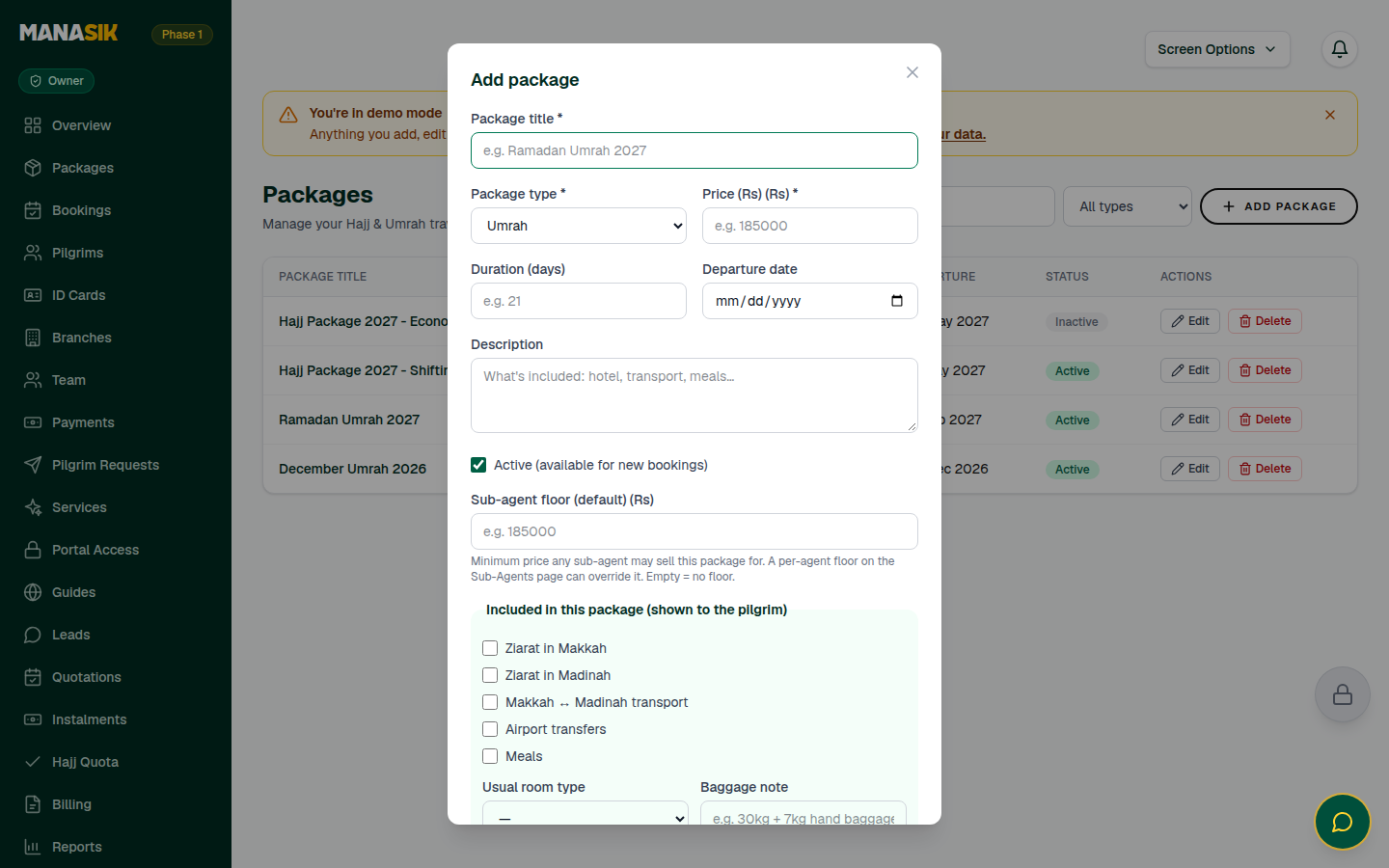
Write the package title, for example “Ramadan Umrah 2027”.
- 3
Choose the package type: Hajj, Umrah, Ziyarat (Iran), Ziyarat (Iraq) or Al Quds — or one of your own types from the Tour types card on this page.
- 4
Write the price, the duration in days, and pick the departure date.
- 5
In the description, write what the traveler gets — hotel, transport, meals, ziarat — in simple words. Travelers can see this text.
- 6
Tick the included items: Ziarat in Makkah, Ziarat in Madinah, Makkah ↔ Madinah transport, airport transfers and meals. Choose the usual room type (single, double, triple, quad or sharing) and add a baggage note, for example “30kg + 7kg hand baggage”.
- 7
Keep Active ticked so the package can take new bookings, then save.
- 8
Your package now appears in the Packages list with its duration, departure and price — ready for bookings, and shown on your public agency page.
Tips & common mistakes
Make one package per departure. If the same tour leaves in March and again in April, make two packages — bookings, payments and groups stay clean.
Do not change a package's price to fix one traveler's mistake. The booking keeps its own total; edit the booking instead (see the Bookings chapter).
Retiring a tour? Untick Active. Old bookings stay untouched, but nobody can book the package again.
Common questions
Yes. First create your type in the Tour types card on the Packages page — for example “Turkey Islamic Tour”. It then joins this list exactly like the built-in types.