
Reports: your lists, your way
What is this?
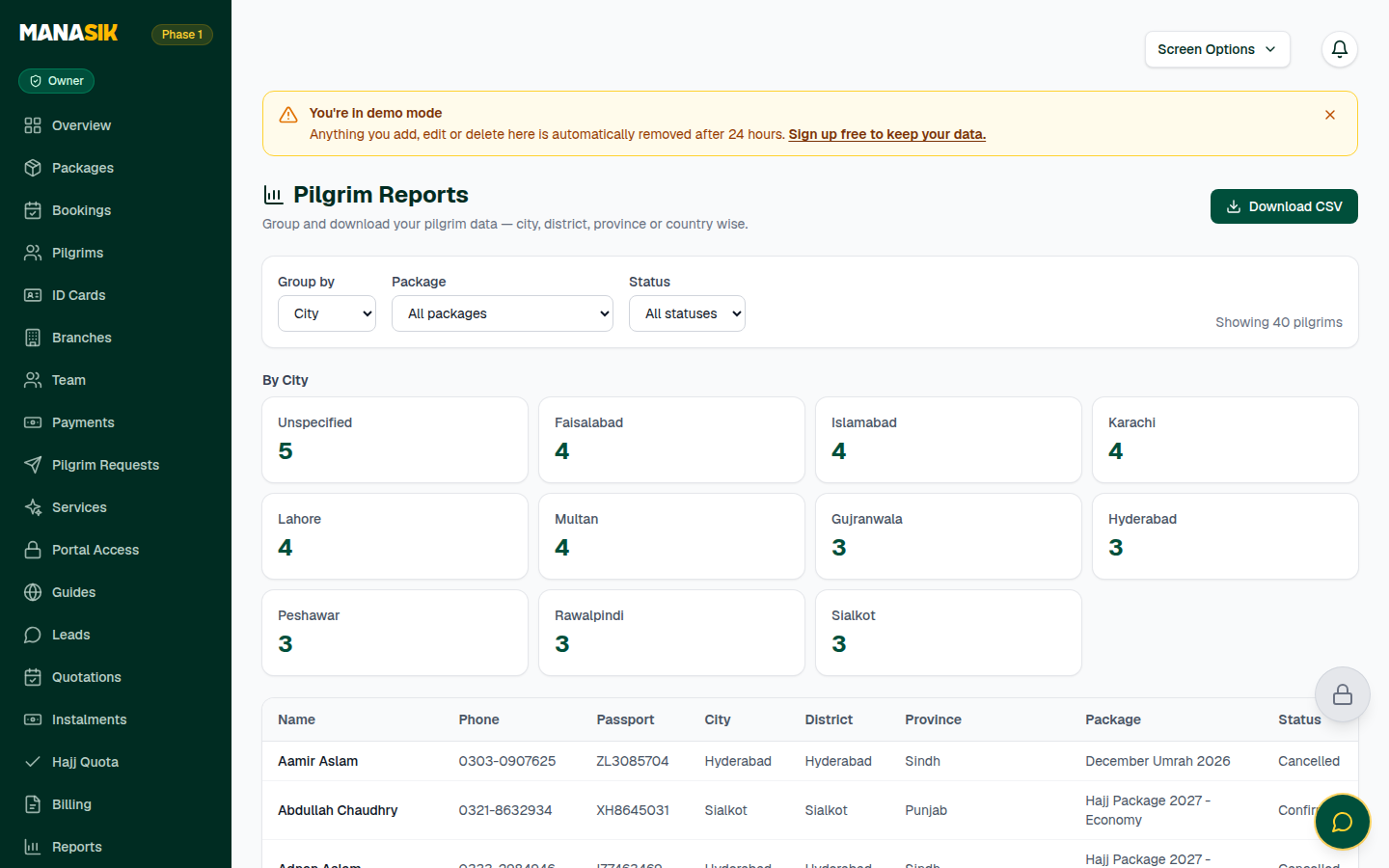
Reports turn your traveler records into useful lists. You can group pilgrims by city, district, province or country — for example, how many travelers come from Lahore, or how many from each district — filter them by package and by booking status, and download the result as a CSV file that opens in Excel.
When do you use it?
Use reports when you plan buses and pickups area by area, when a group leader asks for their area's list, or when you need clean numbers for a meeting.
Step by step
- 1
Open Reports in the menu.
- 2
Choose Group by: City, District, Province or Country.
- 3
Narrow the list if you need to: choose one package (or All packages) and one booking status — Pending, Confirmed or Cancelled (or All statuses).
- 4
Read the grouped list on screen — Manasik shows how many pilgrims match.
- 5
Choose Download CSV to save the list. The file carries name, phone, passport number, CNIC, city, district, province, country, package, booking status, amount paid and balance.
- 6
Open the CSV file in Excel or Google Sheets to sort it, print it or share it.
Tips & common mistakes
Reports are only as good as the addresses on the records. Fill in the city and district on every traveler (see the Travelers chapter) and the groups appear by themselves.
A group in the report named “Unspecified” means some records have that field empty. Fill those records in and run the report again.
Need bookings or payments in a sheet instead? Settings → Export data has Pilgrims, Bookings and Payments CSV downloads.
Common questions
Check the filters first — a package or status filter hides everyone else. Set both to All and run the report again.